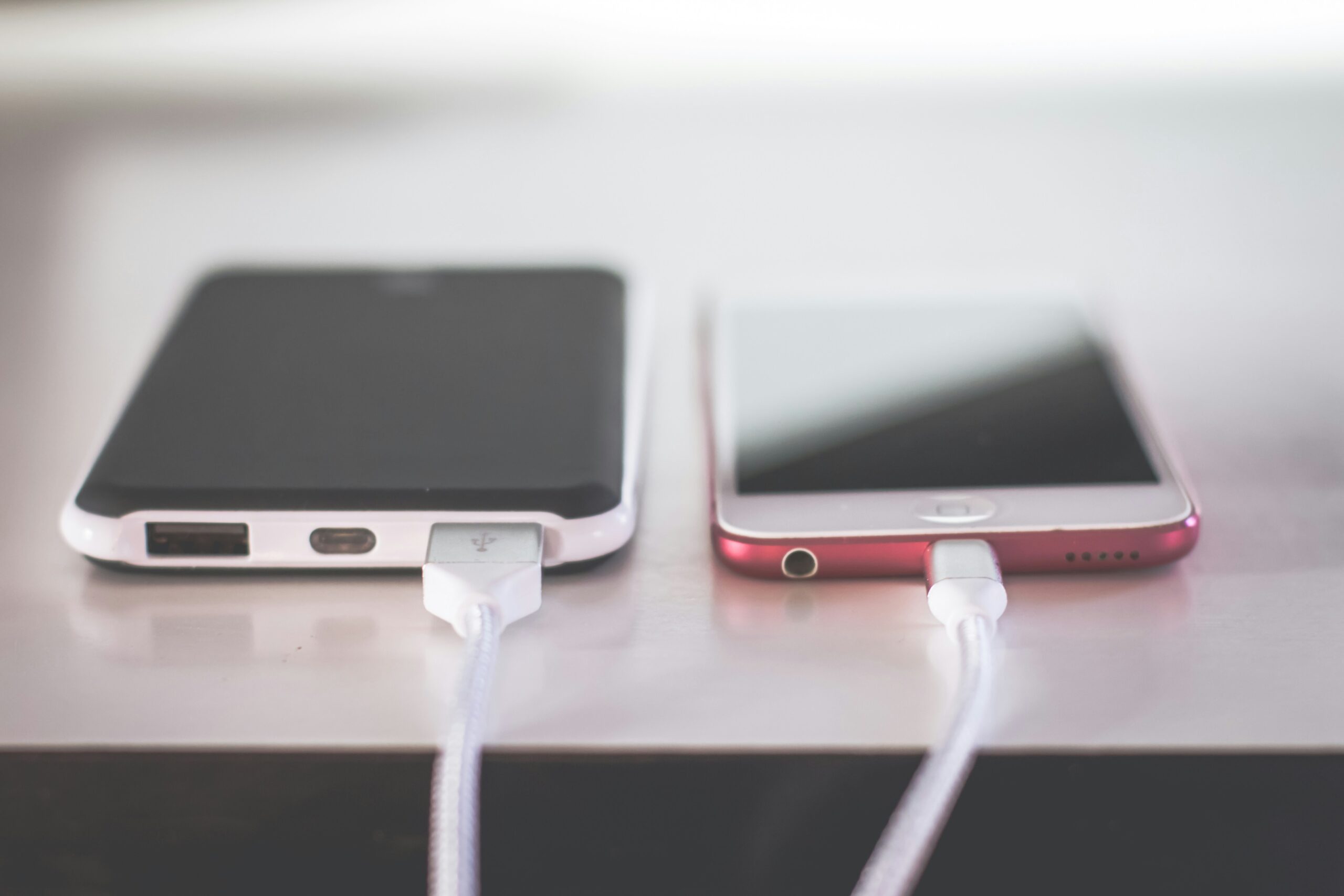
Few device malfunctions cause as much immediate anxiety as plugging in your phone at night only to realize it is not receiving power. When users begin investigating how to clean out iphone charging port housings, they are typically confronting a charging cable that feels loose, wobbles excessively, or disconnects at the slightest movement. In most cases, the hardware components themselves are entirely functional; the real culprit is compressed pocket lint, denim fibers, and ambient debris packed tightly into the bottom of the recessed port cavity.
Smartphones spend hours sliding in and out of pockets, purses, and backpacks. Every time a power cable is inserted into the Lightning or USB-C connector, the metal plug forces whatever microscopic dust or textile fluff is sitting near the opening deep into the back corners of the socket. Over months of daily use, this debris forms a dense, felt-like pad that prevents the gold power pins on the cable from seating fully against the spring-loaded contacts inside the device housing.
Resolving this issue requires precision, patience, and strict adherence to electrical safety principles. Using improper tools can permanently bend internal pins, strip protective coatings, or cause short circuits across active power lines. This comprehensive technical guide details the mechanical behavior of smartphone charging connectors, evaluates safe non-conductive tools, provides step-by-step cleaning workflows written entirely in clear explanatory paragraphs, and outlines best practices to maintain consistent electrical connectivity.
The Mechanical and Physical Causes of Port Contamination
To understand the core principles of how to clean out iphone charging port assemblies, one must first analyze the physical environment inside modern smartphone power connectors. Whether your device utilizes Apple’s legacy eight-pin Lightning interface or the universal USB-C standard on newer models, these openings are narrow, deep cavities designed with tight tolerances to hold charging cables securely in place.
Every day, fabric micro-fibers, lint, skin flakes, and ambient dust drift into the exposed port opening. When you insert a charging cable, the leading edge of the plug acts like a piston, driving loose surface debris toward the back wall of the socket. Under the mechanical pressure of repeated daily plug insertions, this loose debris becomes compressed into a rigid layer at the very bottom of the port cavity.
As this compressed lint layer thickens, it physically blocks the charging cable from inserting to its intended depth. You may notice that the flush fitting edge of the cable molding no longer sits snugly against the bottom aluminum frame of your phone. Because the plug cannot click fully into place, the gold-plated electrical contacts on the cable fail to establish a solid physical connection with the spring pins inside the port, resulting in intermittent charging or total power failure.
Essential Diagnostics: Differentiating Between Dirt and Hardware Failure
Before attempting delicate mechanical work on your device or gathering tools for smartphone charging port maintenance, performing a systematic diagnostic check helps confirm that debris is indeed the primary issue. Not every charging interruption stems from physical contamination; software glitches, damaged cables, or degraded battery health can produce similar symptoms.
Inspect the physical alignment of your charging cable while it is inserted into the device. A healthy port allows the cable housing to sit completely flush against the phone frame with virtually no gap. If you notice a visible gap between the cable connector and the phone body, or if the cable sways loosely from side to side without a firm mechanical click, compressed lint is almost certainly occupying the inner cavity space.
Next, test the cable with another known working power adapter and wall outlet, or test a different certified cable with your phone. Inspect the cable tip itself for corrosion, dark burn marks on the gold pins, or physical bending. If alternative cables also fit loosely and fail to initiate a steady charge indicator, proceeding with a safe physical port cleaning is the most logical next step.
Selecting Safe, Non-Conductive Cleaning Tools
The most critical decision when discovering how to clean out iphone charging port cavities is selecting an appropriate, non-conductive cleaning tool. The interior of a modern smartphone port houses fragile, gold-plated copper pins that carry low-voltage electric current directly to the internal logic board and battery management circuits.
Under no circumstances should you ever insert metal objects such as paperclips, sewing needles, safety pins, or SIM card ejector tools into the port. Metal implements are rigid enough to scratch off protective gold plating, bend delicate pin spring hinges out of alignment, or bridge active electrical pathways, causing permanent micro-short circuits across the power rails.
Instead, select soft, non-conductive materials that can flex slightly under manual pressure. A standard wooden or plastic toothpick shaved down slightly thin at the tip provides an ideal balance of stiffness and softness. Specialized anti-static nylon micro-swabs or plastic interdental dental picks with soft rubber bristles also work exceptionally well, as they can maneuver into tight corners without transferring static charges or marring internal electronic contacts.
Step-by-Step Manual Extraction Workflow
Executing a safe manual cleaning protocol for how to clean out iphone charging port enclosures requires a quiet, well-lit workspace and a steady hand. Rushing through this process increases the risk of applying lateral pressure against delicate internal contacts.
Begin by completely powering down your smartphone through the settings menu or hardware button combination. Powering off the device disables active current flowing to the accessory detection pins, minimizing electrical risk during mechanical intervention. Position a bright desk lamp overhead, or wear a hands-free headlamp so you can clearly see straight into the bottom of the dark port opening.
Hold the phone securely on a flat surface with the port facing toward you. Insert your trimmed wooden toothpick gently into the port, sliding it along the smooth top or bottom wall until it reaches the back corner, taking care to avoid scraping directly against the raised pin array. Carefully scrape along the back wall in a slow, sweeping motion from one side to the other, hooking the tip under the compressed lint pad to lift it upward and outward.
As lint gathers on the tip of your tool, pull it out of the opening and wipe it clean on a paper towel. Repeat these gentle sweeping motions across the back wall corners until no further compressed fluff or dark fibers emerge. Throughout the procedure, inspect the interior periodically under direct light to monitor your progress and ensure you are not applying force against the thin electronic pins mounted on the center tongue or side walls.
Utilizing Compressed Air and Isopropyl Alcohol Safely
In addition to manual picking, leveraging controlled airflow or chemical solvents can assist when determining how to clean out iphone charging port cavities with stubborn residue. However, these methods must be applied with extreme restraint to prevent collateral damage to surrounding device components.
Compressed air cans can help blow out loosened, uncompressed dust particles after you have scraped the back wall with a toothpick. Hold the compressed air can completely upright to prevent cold liquid propellant from spraying into the device. Apply short, controlled bursts from a distance of at least two to three inches away from the port opening, angling the nozzle slightly so the air stream creates a swirling vortex that carries loose debris out rather than forcing it deeper.
If liquid residue, sticky sap, or oxidation is present on the internal contact pins, three-percent household rubbing alcohol must never be used due to its high water content. Instead, apply a single drop of ninety-nine percent pure electronic-grade isopropyl alcohol to the tip of a micro-swab or shaved toothpick. The high-purity alcohol dissolves sticky contaminants rapidly and evaporates completely within seconds without leaving moisture behind that could trigger internal liquid damage indicators.
Navigating Differences Between Lightning and USB-C Architectures
When researching how to clean out iphone charging port housings across different device generations, recognizing the structural differences between legacy Lightning ports and modern USB-C interfaces is vital for safe tool handling.
Legacy Lightning ports present a relatively open, hollow rectangular chamber with spring-loaded contact pins mounted along the top and bottom inner walls. Because the center of the cavity is completely open, a wooden toothpick can maneuver across the back wall with relatively low risk of snagging internal structures, provided you do not press aggressively against the side pins.
Modern USB-C ports, found on newer smartphone generations, feature a fragile plastic or ceramic center tongue called the wafer, which houses sensitive electrical contacts on both sides. Cleaning a USB-C cavity requires much greater finesse because you must work your non-conductive tool around the thin center wafer without applying lateral twisting pressure that could snap the tongue. Focus your picking motions strictly along the outer perimeter gap between the center wafer and the metal housing walls.
Comparing Cleaning Methods Across Safety and Performance Factors
Selecting the best approach for how to clean out iphone charging port openings depends on the severity of contamination, available tools, and device connector architecture.
Wooden Toothpicks shaved down to a thin, flexible tip offer high safety and exceptional control for extracting compressed lint. They carry zero electrical conductivity and low risk of scratching internal contacts, making them the preferred choice for primary home maintenance.
Plastic Interdental Picks provide excellent flexibility and soft rubber bristles for sweeping away loose dust particles. They are non-conductive and gentle on delicate pins, though they lack the mechanical rigidity required to leverage out heavily compacted lint pads.
Compressed Air Cans deliver fast, non-contact removal of loose, uncompressed surface dust. While safe for clearing light debris, they cannot dislodge compressed fluff on their own and carry a risk of spraying liquid propellant if the can is tilted during use.
Ninety-Nine Percent Isopropyl Alcohol on Nylon Swabs offers high performance for dissolving sticky liquid spills or removing pin oxidation. It evaporates rapidly without corrosion risk, though it must be used sparingly to avoid oversaturating internal seal gaskets.
Metal Pins and Paperclips present extreme hazards, including guaranteed electrical short circuits, bent internal contact pins, and scratched protective plating. They carry unacceptable risk factors and should be strictly avoided for all electronic port cleaning.
Mistakes That Can Permanently Damage Charging Hardware
When users urgently search for how to clean out iphone charging port solutions after a device stops taking power, panicked mistakes often convert a simple cleaning task into an expensive hardware repair. Avoiding these critical errors preserves your device warranty and internal components.
Inserting sharp metal objects into the port cavity is the leading cause of permanent charging hardware destruction. Metal needles easily catch on the delicate gold contact fingers, bending them backward or breaking them off entirely. Once an internal pin is bent or snapped, the entire port assembly must be desoldered and replaced by a professional technician.
Another major mistake is applying excessive liquid solvents or low-grade rubbing alcohol directly into the port opening. Excess liquid can seep past internal rubber gaskets, penetrating the lower display assembly or triggering the internal liquid contact indicators, which voids official manufacturer service coverage. Always ensure swabs are merely damp, never dripping wet.
Additionally, avoid using high-pressure industrial air compressors or blowing into the port using your mouth. Human breath contains microscopic saliva droplets that introduce moisture and accelerate pin corrosion, while industrial air hoses deliver pressure far beyond safe tolerances, potentially damaging internal speaker membranes and water-resistant acoustic meshes located near the port assembly.
When to Seek Professional Repair and Hardware Replacement
Even after mastering how to clean out iphone charging port procedures, scenarios arise where manual cleaning cannot restore power delivery. Recognizing when a physical issue surpasses home cleaning prevents unnecessary strain on your device components.
If you have thoroughly removed all visible lint and verified that a certified cable seats flush against the frame, but the device still fails to charge or only charges when held at an unnatural angle, the internal pins may be oxidized, worn down, or loose from solder joints on the logic board. Physical pin damage or internal board failure requires professional diagnostic testing.
Visit an authorized service provider or certified electronic repair center if you suspect physical pin bending or if professional phone charging port repair is required after liquid contamination. Professional technicians possess specialized stereo microscopes, anti-static micro-tweezers, and digital multimeters to measure voltage draw safely, ensuring accurate diagnosis without risking further damage to your device.
Preventative Habits to Keep Ports Clean and Functioning
Once you have successfully executed your plan for how to clean out iphone charging port contamination and restored stable power connectivity, adopting preventive habits reduces future debris accumulation significantly.
Consider inserting a soft silicone dust plug into the port opening when carrying your phone in pockets, work aprons, or outdoor gear bags. These inexpensive, low-profile plugs seal the port cavity completely, preventing lint, sawdust, and sand from entering while remaining easy to remove whenever you need to connect a wired charging cable.
Periodically inspect your clothing pockets and clean out accumulated fluff from jeans, jackets, and bag compartments. Regularly shaking out pocket linings removes the primary source of compressed lint before it ever has a chance to migrate into your smartphone’s openings.
Additionally, utilizing wireless charging for iPhone through Mag Safe or Qi inductive charging pads for daily tabletop power needs minimizes physical wear and tear on your mechanical port assembly. Reducing the frequency of daily cable insertions keeps the internal contacts pristine, preserving physical port health for those times when fast wired charging or wired data transfer is necessary.
Frequently Asked Questions
1. Can I use a toothbrush to clean out my phone’s charging port?
A soft-bristled, clean, dry toothbrush can be used to gently brush away loose surface dust around the port opening. However, toothbrush bristles are usually too flexible to reach deep into the back corners and leverage out densely compressed lint pads.
2. Is it safe to blow into the charging port with my mouth?
No, blowing into the port with your mouth introduces warm, moisture-laden air and microscopic saliva droplets into the cavity. This moisture can adhere to the internal metal contacts, accelerating copper oxidation and pin corrosion over time.
3. Why does my phone say liquid detected in the connector after cleaning?
If your phone displays a liquid detection warning after cleaning, moisture from a damp swab, liquid propellant from compressed air, or ambient humidity was trapped inside the cavity. Power off the device and allow it to air dry completely in a well-ventilated area for several hours before attempting to plug it in again.
4. How do I know if my port is dirty or if the battery is dead?
If your phone screen remains completely dark when plugged in, leave it connected to a known working charger for at least fifteen minutes. If the cable feels loose, wobbly, or fails to sit flush against the frame, a dirty port is likely preventing power transfer to the battery.
5. Can compressed air damage internal phone components?
Yes, if used incorrectly. Holding a compressed air can upside down or spraying high-pressure air directly from a very close distance can freeze sensitive components with liquid propellant or damage delicate internal acoustic meshes near the port.
6. Will cleaning the charging port void my device warranty?
Gently clearing loose lint using non-conductive, wooden, or plastic tools without opening the device case does not void your warranty. However, using sharp metal tools that scratch or damage internal pins will cause physical damage that is not covered under standard manufacturer warranties.